Australia's leading sim racing platform -AI-driven race engineering and expert hardware consultancy for drivers who demand every tenth.
Scroll
0+
Beta Drivers
0
Telemetry Channels
up to 1.7s
Lap Time Gain
0+
Team Sim Sessions
THROTTLE|94.2%
BRAKE TEMP FL|612°C
TYRE SLIP RL|0.08 ratio
LATERAL G|−3.2G
SPEED|287.4 KM/H
TYRE TEMP FL|88°C
FUEL LOAD|42.1 KG
SUSPENSION FL|−18.4 mm
RPM|8,420
LAP DELTA|−0.342s
TYRE PRESSURE RR|27.8 PSI
GEAR|6
LONGITUDINAL G|−4.8G
ABS|INACTIVE
TRACK TEMP|34°C
THROTTLE|94.2%
BRAKE TEMP FL|612°C
TYRE SLIP RL|0.08 ratio
LATERAL G|−3.2G
SPEED|287.4 KM/H
TYRE TEMP FL|88°C
FUEL LOAD|42.1 KG
SUSPENSION FL|−18.4 mm
RPM|8,420
LAP DELTA|−0.342s
TYRE PRESSURE RR|27.8 PSI
GEAR|6
LONGITUDINAL G|−4.8G
ABS|INACTIVE
TRACK TEMP|34°C
02. Process
How It Works
01
Connect Automatically
The moment you open your simulator, ACCELX connects through the shared memory API and begins recording telemetry. No file exports, no manual setup, no plugins.
02
Drive Your Stint
Every sample is captured continuously -inputs, tyre state, chassis behaviour, G-forces -across your entire session, lap by lap, corner by corner.
03
Pit -Get Debriefed
The AI triggers automatically. Full stint analysis: tyre temps, throttle and brake patterns, slip events, suspension movement, ABS and TC activation. No button press.
04
Apply & Go Faster
ACCELX generates a custom setup recommendation from your actual data. Accept the changes and get back on track -seconds faster, instantly.
01. AI Race Engineer
Built Around Your Data
01
Auto-Debrief on Pit Entry
ACCELX detects pit entry and fires a complete analysis of your stint, corner-by-corner, automatically. Per-corner breakdown of braking points, entry behaviour, apex load, and exit traction -identifying which corners are costing the most time.
02
Custom Setup Generation
Setup recommendations built specifically around how you are driving the car -not from a template. If the rear tyres are running too hot mid-corner, ACCELX understands the mechanical cause and suggests the exact adjustment.
03
Full Telemetry Graphs
Dedicated graphs tab with full per-lap telemetry traces for every channel, overlaid across laps, with a reconstructed track map coloured by throttle and brake input showing exactly where on circuit each event occurred.
04
Conversational Follow-Up
After the debrief, ask follow-up questions in natural language. The AI holds full session context -ask why it made a specific recommendation, request alternatives, explore tyre strategy, or discuss setup trade-offs.
05
Learn Tab -Built-In Telemetry Reference Guide
Every channel explained in depth directly inside the app. Click any channel -Throttle, Brake, Slip Analysis, Traction Loss, Suspension Travel -and get a full lesson covering what the graph shows, how to read ideal vs. problem traces, parameter ranges, and tuning strategies. No external reading required.
Stay In The Loop
Join The List
ACCELX updates, beta access notifications, and exclusive early access for subscribers only.
Get In Touch
Interactive ACCELX Demo
Click EXPAND to stretch this demo across your whole screen.
ACCELX AI RACE ENGINEER
Real-Time AI-Powered Engineering
Connects directly to your simulator. Reads live telemetry every session. Acts as a fully conversational race engineer -without any manual input required.
PERFORMANCE RESULTS
Real Drivers. Real Gains.
0.3s
Minimum gain after first session debrief
1.7s
Maximum recorded lap time improvement
60+
Beta drivers in active testing
45
Live telemetry channels per sample
From Data to the Podium
Our beta drivers have seen consistent lap time improvements across every car and track combination. ACCELX doesn't guess -it reads exactly what your car is doing and tells you precisely what to change.
The average driver gains 0.6–0.9 seconds within the first two sessions. The fastest improvements come from identifying and correcting a single key issue the AI finds in your tyre temperature data or braking traces.
Brake Reference Optimisation+0.4s avg
Tyre Temperature Management+0.6s avg
Setup Balance Correction+0.8s avg
Corner Exit Traction+1.1s avg
THE INTERFACE
Inside ACCELX.
Four tabs. Full picture. Every screen is built around your telemetry -from raw graph traces to AI-generated setup recommendations and a built-in telemetry reference guide.
Click EXPAND to stretch this demo across your whole screen.
AI PIPELINE
How ACCELX Engineers
→
01 / INGEST
Live Telemetry Capture
Shared memory API connection reads all telemetry channels per sample. Every input, tyre state, and chassis behaviour captured continuously with no manual export.
→
02 / ANALYSE
Stint Processing
Full stint processed at pit entry. Tyre temperature distribution across all four corners analysed against ideal operating windows for the compound.
→
03 / IDENTIFY
Performance Deficit Location
AI identifies exactly where performance is being lost -braking reference, apex speed deficit, or a setup imbalance loading tyres incorrectly.
→
04 / GENERATE
Setup Recommendation
Custom setup built around how you are driving the car. Reasons from physical data -not from a template. Specific parameter changes with exact values.
05 / CONVERSE
Conversational Engineering
Full session context held. Ask follow-up questions in natural language. Setup reasoning, alternatives, tyre strategy -ongoing dialogue like a real engineer.
Aerodynamic Analysis
Aero. Simulated.
Most sim drivers adjust wing angles by feel. ACCELX reads your aerodynamic channels and tells you exactly what the air is doing to your car -and what to change.
01 / DOWNFORCE BALANCE
Front–Rear Aero Load
ACCELX reads your front and rear downforce values each lap and computes the aero balance as a percentage split. If your setup is generating 58% rear bias, the AI identifies whether that's causing terminal understeer on corner entry or protecting rear-end stability at high speed -and recommends the wing adjustment to correct it.
02 / DRAG COEFFICIENT
Top Speed vs. Grip Trade-off
Every wing adjustment is a trade-off between straight-line speed and cornering grip. ACCELX logs your drag coefficient and models the lap time impact of each change against your specific track layout -telling you whether more or less downforce is worth the straight-line cost at this circuit.
03 / RIDE HEIGHT INTERACTION
Ground Effect & Aero Platform
Suspension travel and ride height directly affect how your car generates aerodynamic load. ACCELX cross-references your suspension travel data with your downforce channels to detect whether bottoming events are collapsing your aero platform -a common cause of lap-to-lap handling inconsistency that most drivers never identify.
04 / STALL DETECTION
Aero Stall at Limit Cornering
At the grip limit, an aerodynamic stall can cause a sudden and violent loss of rear downforce. ACCELX monitors your lateral G and slip data for the signature of rear aero stall -a rapid loss of lateral grip at high cornering speed without a corresponding increase in tyre slip -and alerts you before it becomes a setup decision you're making blind.
ACCELX connects to your simulator via the shared memory API -no manual export, no additional software. The integration depth varies by title. Full integrations are live today. Ongoing development titles are in active build and will be available during the beta period.
Full Integration
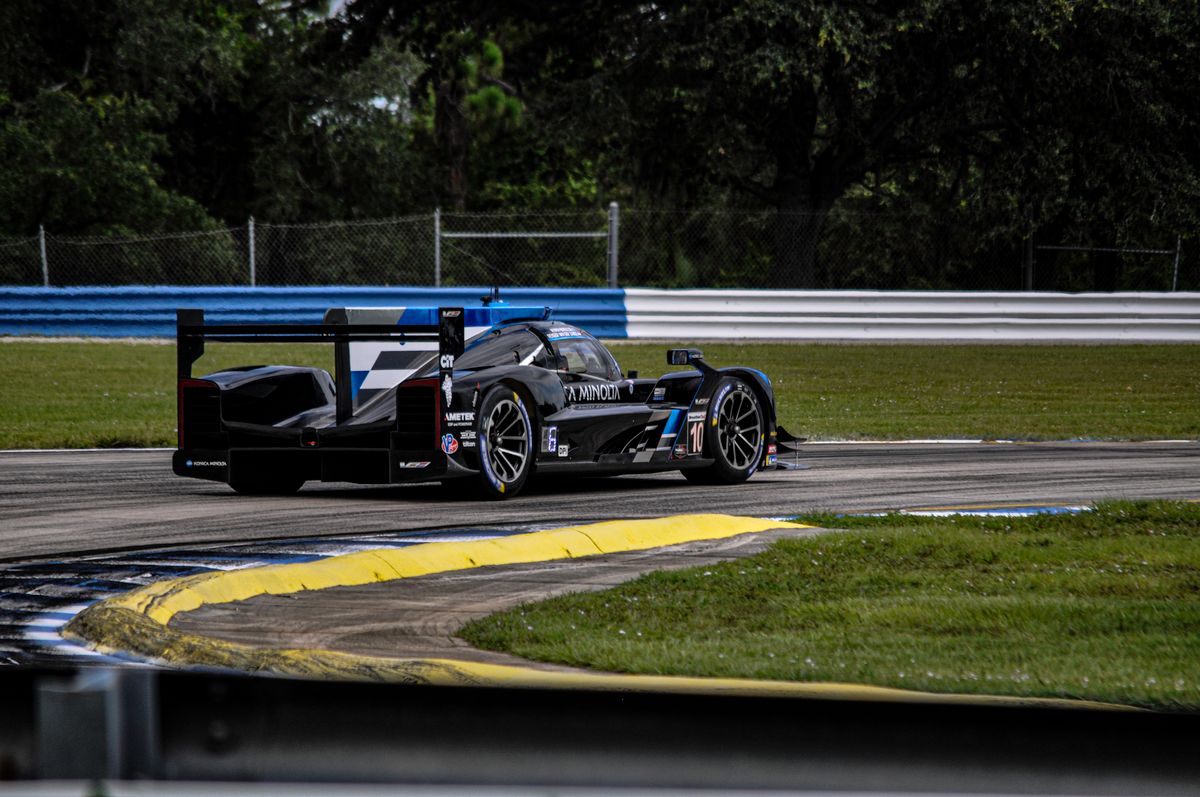
Le Mans Ultimate
Primary Integration Title
Full Integration
Assetto Corsa
Full Shared Memory API
Full Integration
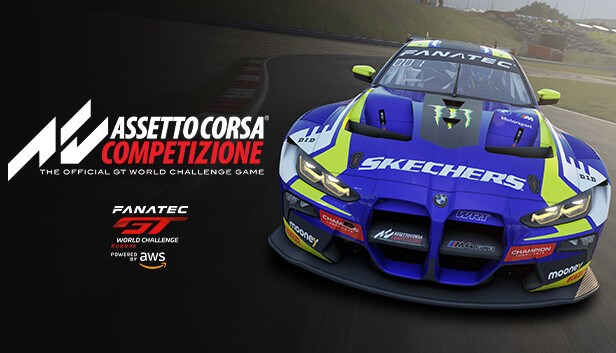
Assetto Corsa Competizione
Official GT World Challenge Sim
Full Integration
rFactor 2
Full Shared Memory API
Ongoing Development
AC Evo
Early Access integration in active development. Shared memory API structure mapped. Integration expected during beta period.
Ongoing Development
AC Rally
Point-to-point telemetry model under development. Stage-split analysis and surface-specific tyre work in progress.
Ongoing Development
RaceRoom
R3E data API integration under active build. DTM and WTCR car model calibration in progress for initial release.
Ongoing Development
iRacing
Data analysis integration -telemetry import and post-session debrief pipeline. Live shared memory integration roadmapped for a later stage.
More Titles
Have a Request?
If your primary sim isn't listed, contact us. Simulator support is prioritised by active user demand during the beta period.
TELEMETRY CHANNELS
45 Channels. Every Sample.
Every channel is recorded per sample, per lap, and made available to both the AI and the visualisation layer. No other sim racing AI platform captures this depth of data.
45
Driver Inputs5 channels
throttle
Accelerator pedal position as a percentage from 0–100%. Used to analyse throttle application patterns through corner phases, identify under-throttle events, and detect over-aggressive application causing traction loss.
0–100%
brake
Brake pedal pressure as a percentage. Overlaid across laps to compare braking reference points, identify early/late braking events, and correlate with ABS activation and wheel lock events.
0–100%
clutch
Clutch engagement position. Used to analyse launch technique, gear change timing in manual configurations, and detect clutch slip events that affect longitudinal acceleration.
0–100%
steering_angle
Steering wheel angle in degrees from centre. Core input for understeer and oversteer detection, corner entry analysis, and correlating driver correction inputs with slip and G-force data.
degrees
gear
Current gear position. Used to evaluate gear selection strategy through each corner, identify sub-optimal gear choices costing RPM in critical acceleration zones, and analyse shift timing.
1–7 / N / R
Vehicle State3 channels
speed
Vehicle speed in km/h. Used for corner minimum speed analysis, straight-line top speed evaluation, and identifying speed deficits at specific track positions across multiple laps.
km/h
rpm
Engine RPM. Analysed against the power band to identify gear selection mismatches, missed shift points, and over-revving events. Correlated with throttle trace for traction analysis.
rev/min
lap_position
Normalised lap position from 0.0 to 1.0, used to align all channel data to specific track locations regardless of lap time variation. Enables precise corner-by-corner overlays and track map reconstruction.
0.0–1.0
Tyre Temperatures4 channels
tyre_temp_FL
Front-left tyre surface temperature. Monitored to detect overheating from excess understeer load or aggressive braking events. Critical for identifying front axle balance issues affecting corner entry.
°C
tyre_temp_FR
Front-right tyre surface temperature. Compared against FL to detect lateral balance asymmetry that can cause inconsistent turn-in behaviour across left and right-hand corners.
°C
tyre_temp_RL
Rear-left tyre surface temperature. Key indicator of rear traction load distribution. High RL temps relative to RR often signal a setup imbalance causing unequal rear grip loading through right-hand corners.
°C
tyre_temp_RR
Rear-right tyre surface temperature. Elevated vs RL indicates disproportionate loading through left-hand corners. Used alongside suspension data to identify anti-roll bar, spring rate, and ride height adjustments.
°C
Tyre Pressures4 channels
tyre_pressure_FL
Front-left tyre pressure in PSI. Pressure deviation from target indicates temperature build-up beyond ideal. Used to recommend cold pressure starting points that reach the optimal operating window within the out-lap.
PSI
tyre_pressure_FR
Front-right tyre pressure in PSI. Cross-referenced with temperature to evaluate pressure build rate and identify if the tyre is reaching its operating window at the correct point in the stint.
PSI
tyre_pressure_RL
Rear-left tyre pressure in PSI. High operating pressure relative to front axle can contribute to rear snap oversteer. ACCELX computes pressure differential impact on balance across the stint.
PSI
tyre_pressure_RR
Rear-right tyre pressure in PSI. Paired with RL to detect rear axle pressure asymmetry that may indicate temperature hotspots or compound degradation on a specific corner.
PSI
Tyre Slip6 channels
tyre_slip_FL
Front-left slip ratio. Excess slip indicates the wheel is exceeding the tyre's traction limit. Correlated with steering angle and brake trace to identify understeer contributions at corner entry and mid-corner.
ratio
tyre_slip_FR
Front-right slip ratio. Compared against FL to identify asymmetric front axle load under braking, which can cause the car to pull under threshold braking events.
ratio
tyre_slip_RL
Rear-left slip ratio. High slip at corner exit indicates rear traction is being exceeded -driven by either over-aggressive throttle application, or a differential / rear downforce setup issue.
ratio
tyre_slip_RR
Rear-right slip ratio. Asymmetric RL / RR slip at corner exit signals a rear axle imbalance. ACCELX identifies whether the driver or the setup is the primary cause.
ratio
front_slip_avg
Computed average of front axle slip ratio (FL + FR / 2). Used as a headline metric for front traction utilisation throughout each lap phase. Key input for understeer analysis and setup balance reporting.
ratio
rear_slip_avg
Computed average of rear axle slip ratio (RL + RR / 2). Headline rear traction metric. High rear slip average across multiple corners is the primary signal for rear grip setup adjustments in ACCELX's recommendation engine.
ratio
Wheel Lock4 channels
wheel_lock_FL
Front-left wheel lock detection. A locked front wheel during braking eliminates steering capability. Tracked per corner to identify brake bias and pressure calibration issues on the front-left specifically.
boolean
wheel_lock_FR
Front-right wheel lock detection. Cross-referenced with FL to determine if the front axle is locking symmetrically (brake bias issue) or asymmetrically (mechanical or technique issue).
boolean
wheel_lock_RL
Rear-left wheel lock detection. Rear locking can trigger snap oversteer -critically dangerous in endurance conditions. ACCELX flags RL lock events and correlates with brake bias and ABS settings.
boolean
wheel_lock_RR
Rear-right wheel lock detection. Analysed against RL to determine whether rear locking is axle-wide or localised. Used in brake temperature analysis to identify overheating as a lock cause.
boolean
Brake Temperatures4 channels
brake_temp_FL
Front-left brake disc temperature in °C. Elevated brake temperatures indicate either excess braking load, inadequate cooling, or incorrect brake duct sizing. Used to flag brake fade risk in endurance stints.
°C
brake_temp_FR
Front-right brake disc temperature. Compared against FL to identify brake bias asymmetry between sides of the front axle, which can cause the car to pull under heavy braking.
°C
brake_temp_RL
Rear-left brake disc temperature. In endurance racing, rear brake temperatures are tracked to evaluate regenerative braking balance and identify rear brake overload from brake bias being too rear-biased.
°C
brake_temp_RR
Rear-right brake disc temperature. Asymmetric RL / RR rear brake temperatures are a key indicator of mechanical differential in rear brake caliper performance or cooling flow.
°C
Forces & Dynamics2 channels
lateral_g
Lateral G-force in G units. Tracks cornering load. Compared across laps to identify minimum corner speed deficits. Used alongside tyre slip data to evaluate how close the car is operating to the lateral grip limit.
G
longitudinal_g
Longitudinal G-force in G units. Captures deceleration under braking and acceleration from corner exit. Used to construct G-G diagrams showing the performance envelope the driver is accessing per lap.
G
Suspension Travel4 channels
suspension_travel_FL
Front-left suspension displacement in mm. Monitors compression and rebound behaviour. Bottoming events are flagged automatically. Used to evaluate spring rate, ride height, and damper settings recommendations.
mm
suspension_travel_FR
Front-right suspension displacement in mm. Compared against FL to identify front axle roll behaviour and anti-roll bar effectiveness. Asymmetric travel indicates a setup or track camber-related imbalance.
mm
suspension_travel_RL
Rear-left suspension displacement in mm. Used to evaluate rear anti-roll bar settings, rear ride height, and to confirm whether rear tyre temperature issues are mechanically driven by suspension geometry changes.
mm
suspension_travel_RR
Rear-right suspension displacement in mm. All four suspension channels analysed together to produce a full car balance picture. ACCELX computes diagonal weight distribution across all corners simultaneously.
mm
Electronics3 channels
abs_activation
ABS system activation flag. Tracks when and where ABS is triggered each lap. Correlated with brake pressure, wheel lock, and brake temperature to determine if ABS events are driver-induced or setup-related.
boolean
tc_activation
Traction control activation flag. Excessive TC intervention at corner exit signals that the driver is over-applying throttle or that the rear differential / TC threshold needs adjustment. ACCELX quantifies TC events per corner.
boolean
drs_state
DRS (Drag Reduction System) activation state. Tracks DRS usage zones and correlates with straight-line speed delta. Used to evaluate optimal DRS activation timing and top-speed impact across different tracks.
boolean
Environmental & Track5 channels
fuel_load
Current fuel load in kg. Tracked across the stint to evaluate fuel consumption rate and remaining fuel. Used in endurance strategy calculations for pit window timing and fuel saving mode recommendations.
kg
track_grip_level
Simulated track grip coefficient. Used to contextualise tyre and slip data against current conditions. Sudden grip level changes are flagged and used to explain unexpected tyre temperature spikes or handling shifts.
coefficient
air_temp
Ambient air temperature in °C. Used to compute tyre temperature build rate and calibrate the expected operating window. Tyre debrief recommendations are adjusted for ambient conditions automatically.
°C
track_temp
Track surface temperature in °C. Direct driver of tyre warm-up speed and peak operating temperature. Cross-referenced with tyre pressure recommendations to compensate for hotter or cooler surface conditions.
°C
track_map_X / Y
World-space X and Y coordinates used to reconstruct the track map. Overlaid with throttle, brake, and slip channel data to produce a colour-coded circuit map showing exactly where on circuit each event occurred.
world coords
Le Mans Ultimate
Built Deep Into LMU.
Our most deeply integrated title. Built with LMU's telemetry model from day one -Hypercar tyre behaviour, endurance fuel load management, and the Circuit de la Sarthe understood natively.
LMU
Native Integration
Shared Memory API -No Exports, No Plugins
ACCELX connects directly to LMU's shared memory API the moment you open the sim. Every telemetry channel -tyre temperatures, brake temps, suspension travel, fuel load, lateral G -is captured continuously per sample, per lap. No file export. No manual trigger. No third-party bridge. It reads the data the same way LMU's own systems do.
Car by Car Tyre Model
HyperCars,Lmp2 and Gt3
The Hypercar compounds in LMU degrade differently across Le Mans' three sectors. ACCELX understands the Mulsanne straight thermal load versus the technical Porsche Curves sector and debriefs tyre behaviour in that context -not a generic GT3-style analysis applied to the wrong car class. The compound behaviour, operating windows and degradation patterns are built into the model from day one.
Endurance Fuel Load
Fuel Changes the Car. ACCELX Tracks It Lap by Lap.
In LMU endurance races, fuel weight shifts brake bias, tyre operating window and car balance across the stint. ACCELX tracks the fuel load channel continuously and adjusts its analysis lap by lap -so the setup recommendations it gives at lap 20 reflect the actual car state at lap 20, not the state at the start. Tyre deg curves are modelled across the full stint, not just peak temperatures.
Auto Pit Trigger
Automatic Debriefs on Pit Entry
ACCELX detects pit entry automatically through the shared memory API and fires a full stint debrief without any input from the driver. By the time the stop is complete the analysis is ready. No button press. No setup. No file to export. In LMU endurance racing the pit stop is the only natural break -ACCELX uses it automatically, every time.
DRIVER BETA
Ready to find your 1.7 seconds?
The driver beta gives you full, unrestricted access to every feature -AI debrief on pit entry, setup generation, telemetry graphs, track map overlay, and conversational follow-ups across unlimited sessions. No features are locked. Applications are reviewed on a rolling basis and access is granted within 24 hours.
This product is for professional racing teams only. Individual drivers and sim racers should use the consumer version above.
Professional Motorsport Engineering Tool
Team Sim Session.
Used by professional racing teams for simulator-based setup development and driver evaluation. Not an upgrade of the consumer product. A separate system built to a different specification, validated by 30 or more working motorsport engineers, and deployed locally on team hardware. Every session is engineered around your car, your track programme, and your setup objectives.
Built to order. Contact us before purchase. Every team session is scoped, reviewed, and delivered by our engineering team.
200Hz
Capture Rate -All 134 Channels
30+
Professional Engineers Validated
134
Telemetry Channels Per Sample
500
Maximum Laps Per Session
Setup Creation Time
40% faster
Average improvement in baseline setup creation time versus manual engineering process -measured across 10+ team sessions.
Total Development Cost
22% lower
Average reduction in total software-to-racecar cost across programmes that replaced traditional third-party data analysis with ACCELX Team.
Driver Evaluation Speed
3x faster
Multi-driver comparison reports generated in a single session versus traditional manual review, enabling same-day driver ranking and comparative coaching.
01. Data Capture
200Hz. Every Channel.
The consumer version captures telemetry at standard sim output rates -typically 20 to 50Hz. The team version runs at 200Hz across all 134 channels simultaneously. This is not a marginal improvement. It fundamentally changes what the data can tell you and which events are resolvable from the record.
01 / RESOLUTION
24,000 Samples Per Lap
A 2-minute lap at 200Hz generates 24,000 samples per channel. A 10-lap stint across 134 channels is approximately 32.2 million data points. A 3-second corner transit at 200km/h is resolved across 600 individual samples. Brake events lasting 0.4 seconds contain 80 discrete capture points -the consumer version sees 8 to 20 across that same event.
ABS pulse cycles fully resolved -not averaged between samples
Tyre slip spikes captured at the transient level, not missed
Suspension oscillation through kerbs fully recorded per corner
Rapid tyre pressure build on the out-lap captured sample-by-sample
02 / PROCESSING TIME
4 to 8 Minutes Per Report
A consumer debrief fires in under 30 seconds. A team session processing 10 or more laps at 200Hz takes 4 to 8 minutes of compute before the report is ready. This is expected and intentional. The output is a full engineering document, not a chat response. Processing runs while the team debriefs verbally and the driver is stationary in the garage.
Processing time scales with lap count and session complexity
Single-stint sessions: typically 4 minutes
Multi-driver 20+ lap sessions: up to 8 minutes
Document is complete before the next stint begins
03 / LOCAL DEPLOYMENT
No Data Leaves Your Environment
The model is deployed locally on the team's own hardware or a private hosted instance. No session data, setup data, or driver data leaves the team's environment. This is a firm requirement for professional programmes where setup data is commercially sensitive. Local deployment also removes API latency from the processing pipeline.
Runs entirely on your hardware -no cloud dependency during sessions
Setup data isolated to your private instance only
Driver data never shared or used in the consumer model
Internet only required for model updates, not session processing
04 / 134 CHANNELS
Extended Channel Architecture
The consumer version captures 45 core channels. The team version expands to 134, adding extended mechanical, aerodynamic, powertrain, and multi-system interaction channels that professional engineers need for detailed setup work. This is structurally different information that enables different engineering conclusions.
+39 powertrain and thermal -engine torque map, ERS state, MGU-K deployment, brake zones inner/outer, coolant, oil, intercooler
02. Engineering Output
Numerical. Actionable.
The consumer version produces natural language debriefs and conversational setup suggestions. The team version produces numerical engineering documents that a race engineer can act on immediately without interpretation. Every output format was iterated directly with working engineers until it matched what they would write themselves.
01 / SETUP SHEETS
Full Numerical Parameter Output
Spring rates in N/mm. ARB stiffness in Nm/deg. Damper curves with slow and fast bump and rebound clicks specified separately. Aero rake in millimetres. Front and rear ride height targets. Tyre pressure cold-start targets per compound. Not "try softening the rear ARB" -exact parameter values with direction and magnitude for every change.
Complete numerical sheet per setup iteration
Change direction and magnitude specified per parameter
Engineering reasoning attached -why each change from the data
Exportable to team's own sheet format
02 / STATISTICAL BREAKDOWN
Per-Corner With Confidence Intervals
Minimum speed values per corner with standard deviation across the lap set. Outlier laps flagged with identified cause from correlated channel data. For example: T5 minimum speed 97.4 plus or minus 1.8 km/h across 10 laps, with lap 6 flagged as an outlier due to ABS activation at 180 metres. Every corner, every lap, every metric.
Min, max, and mean values per corner per metric
Standard deviation and outlier identification
Outlier cause identified from correlated channels automatically
Per-sector statistical summary for the complete session picture
03 / REGRESSION TRACKING
Session-Over-Session Direction
Is the driver converging on the limit or plateauing? Is each setup change producing the expected telemetry response? Are gains compounding or diminishing? The system tracks performance direction across every stint and flags when a setup change is not producing the expected response -meaning the hypothesis was wrong and the direction needs to change.
Stint-by-stint lap time progression and trend direction
Setup change vs delta response -is the change working?
Driver convergence analysis -finding more of the car each stint?
Session summary: compounding gains or plateauing performance
04 / TRADE-OFF MATRICES
Differential, Aero and Suspension
Increasing rear wing by 2 degrees gains 0.3 seconds in Sector 2 but costs 0.2 seconds on the straight. The matrix shows the net lap time impact so the engineer makes the call with data, not instinct. Differential, suspension, aero, and tyre compound trade-offs are all modelled and presented as structured decision tables -not prose explanations.
Sector-level gain/loss per parameter change modelled and shown
Compound selection trade-off vs predicted grip window per track
05 / DRIVER COACHING
Separate Report. Separate Document.
The driver coaching report is generated alongside the setup report but delivered separately so the engineer and driver each work from their own document. It identifies the 3 highest-priority driver technique issues with specific corner references, lap numbers, and the channel evidence for each finding -not a setup issue, a driver input issue with data attached.
Top 3 priority driver technique findings per session
Corner-specific with lap number and channel evidence cited
Separate from setup report -different documents for engineer and driver
Trend tracking across sessions -is the technique improving?
06 / MULTI-DRIVER COMPARISON
Up To Four Drivers Overlaid
Load up to four drivers across any channel simultaneously. Overlay throttle traces, brake points, steering angle, and tyre temperatures for the same corner on the same lap. Identify which driver is accessing more of the car, where the lap time delta is built, and whether the gap is a technique issue or a setup preference divergence in a multi-driver programme.
Up to four drivers overlaid per channel simultaneously
Time-aligned corner-level comparison with delta-T trace
Driving style index -aggression vs smoothness coefficient per driver
Per-corner ranking table across all drivers in the session
03. Model Training
Upload Your Own Data.
Teams can manually upload clean lap data to feed directly into the local model instance. Minimum 10 laps, same car, same track, consistent conditions. Over multiple uploads across a season, the model builds a car-specific dataset -effectively learning how that specific chassis behaves at its limit and calibrating every subsequent recommendation against actual history, not generic physics assumptions.
Car Calibration
Uploaded data calibrates the local model to that car's specific behaviour. Tyre thermal model, powertrain characteristics, and aero sensitivity are learned from your own clean laps rather than generic sim physics assumptions. Corner-specific tyre window targets and optimal pressure build curves are updated per batch.
Tyre thermal model learned from your actual compound data
Known balance tendencies stored and referenced per car
Each batch improves the model baseline for that vehicle
Season Memory
Over multiple uploads across a season, the model builds a car-specific dataset. Setup recommendations in session 8 are informed by sessions 1 through 7 -not just the current stint. The model learns the car's known balance tendencies, develops track-specific operating windows, and identifies recurring setup patterns across similar venues.
Seasonal learning -each upload improves all future sessions
Track-specific car behaviour profiles stored per venue
Isolated -never shared with other teams or the consumer model
Accepted Formats
Minimum 10 laps per batch. Same car, same track, consistent conditions. Our engineering team reviews each upload before it is applied to verify data quality and flag anomalies before they affect your calibration baseline. All four major formats supported natively.
CSV telemetry export
MoTeC i2 export
Bosch DDU export
Raw ACCELX session files
04. Validation
30+ Engineers Signed Off This.
The analysis pipeline, setup recommendation logic, and channel weightings have been reviewed and signed off by 30 or more professional motorsport engineers using real championship weekend data. Known divergences between sim physics and real-world behaviour are flagged in output. Circuit-specific weighting adjusts per venue automatically.
Setup Logic
Recommendation weightings calibrated against actual race weekend data, not simulation assumptions. Where sim physics diverges from real-world behaviour, those known points are flagged -the model does not treat the sim as the ground truth.
Circuit Weighting
Channel importance hierarchies are circuit-specific. What matters at Bathurst is weighted differently to Spa or Le Mans. The model adjusts corner priority, tyre window targets, and aero sensitivity per venue -not a single global weighting applied everywhere.
Output Format
The debrief format was iterated directly with working engineers until the output matched what they would produce themselves. Format, numerical precision, channel prioritisation, and language were all reviewed and approved before deployment to any team.
30+
Engineers Validated
10+
Sessions Completed
200Hz
All 134 Channels
134
Data Channels Captured
05. Engineering Dashboard
Decision-Making Environment.
The team dashboard is not a data viewer. It is a structured decision-making environment built around how professional engineers actually work through session data -from pit-entry overview through to corner-level mechanical balance diagnosis and endurance strategy modelling. Every panel is purpose-built for actionable engineering decisions, not passive review.
01 / SESSION OVERVIEW
Command Centre Panel
Stint-by-stint lap time progression, tyre thermal history, setup change log, and fuel consumption curve. Designed to be readable at a glance from across a pit garage. Automated anomaly flags for tyre spikes, lock events, and aero instability trigger immediately on detection -no manual review required to find problems.
Stint selector with lap delta heatmap per driver
Setup revision history tied to specific stint deltas
Per-corner tyre temperature across inner, middle, and outer zones. Stint-length degradation curves. Operating window compliance percentage. Ideal temperature target bands overlaid from compound data. Pressure evolution mapped against track and ambient temperature throughout the full stint.
Inner / middle / outer zone temperature per wheel corner
Compound operating window compliance score
Grip drop prediction curve from deg rate
Tyre pressure build curve vs ambient and track temperature
03 / SETUP CORRELATION
Change vs Lap Time Matrix
Every setup change logged against subsequent lap time data. The correlation engine computes which parameter changes delivered measurable improvements and which were neutral or detrimental -building a team-specific setup learning database that compounds in value across sessions and race weekends throughout the season.
Parameter change log with timestamp and lap time response
Cross-session learning -data carries over between weekends
AI-generated setup hypothesis for the next stint
04 / MECHANICAL BALANCE
Real-Time Setup Diagnosis
Reads suspension travel, tyre slip, G-force, and steering angle simultaneously to diagnose the car's mechanical balance at each circuit section. Outputs a corner-by-corner balance report identifying understeer entry events, trailing throttle oversteer signatures, and aero-mechanical interaction zones that mix mechanical and aero causes.
Front / rear balance index by circuit sector
Understeer vs oversteer event map on track overlay
Spring and damper response analysis from suspension travel data
Ride height critical zone detection from suspension and aero channels
05 / ENDURANCE STRATEGY
Pit Window and Tyre Stint Modelling
Built specifically for endurance programmes. Models tyre degradation rate against lap time delta to compute the optimal pit window. Fuel load correction applied to each model iteration. Driver changeover windows with tyre temperature warm-up predictions for each stint opening based on that specific car and compound.
Tyre deg extrapolation -current stint vs projected cliff
Fuel-corrected lap time normalisation across the stint
Optimal pit window with plus/minus 3 lap sensitivity bands
Driver stint allocation recommendation based on performance data
06 / HARDWARE REQUIREMENTS
Minimum Specification
Because the team version runs a full motorsport-grade AI model locally on your hardware, minimum specifications are significantly higher than the consumer version. These are hard minimums. Exceeding them improves processing throughput on large multi-driver sessions.
GPU: NVIDIA RTX 4090 or equivalent -24 GB VRAM minimum, required for full model in VRAM
Storage: 4 TB PCIe Gen 4+ NVMe SSD -OS: Windows 10/11 Pro 64-bit or Ubuntu 22.04 LTS
Built To Order -Professional Teams Only
Built Around Your Programme.
Every team session is scoped individually. Contact our engineering team to discuss your car, your track programme, and your session requirements before purchase.
03. Get ACCELX
Pricing
The consumer version is for individual drivers and sim racers. If you race on a simulator for fun, training, or personal improvement, this is all you need. The free beta gives you everything.
Free Beta
$0
During beta period
50 AI messages included
Auto-debrief every pit entry
Custom setup generation
Full telemetry graphs (45 channels)
Track map overlay
Conversational follow-up
Learn tab included
Most Popular
Paid Full Beta
$7/mo
USD · Full beta access
50 AI messages per month
Everything in Free Beta
Auto-debrief every pit entry
Custom setup generation
Full telemetry graphs (45 channels)
Track map overlay
Pay only for what you use
Why is there a paid tier?
The free beta is real and fully featured -and we want to keep it that way. Running the AI infrastructure at this level has a cost per session. So due to an influx in submission, I just made this offering to gauge wether you guys might be intrested in paying $7USD for our beta, so you basically pay for what you use!
The paid tier exists so that drivers who want to use the platform but didn't get into our program can still do so without us rationing access. That allows me to maintain the infrastructure without pulling from the beta budget -which means more development, faster. You get the same product either way. Just allows me to accepet more people!
Please Note again, like mentioned this is just an expression of interest.
Professional Racing Teams Only -Separate Product
The Team Session is a completely different product built for professional racing teams using simulator data for real-world setup development. It is not an upgrade of the consumer version. Individual drivers and sim racers do not need this and would not benefit from it.
Racing Teams Only
Team Sim Session
$1,000
Per session · Built to order
200Hz capture across all 134 channels
Local model deployment on your hardware
Validated by 30+ professional engineers
Full numerical setup sheets
Multi-driver cross comparison
Manual data upload for model training
100 to 500 laps per session
Advanced engineering dashboard
Session-by-session performance database
Driver comparison heat maps
Team sessions are built to order and delivered following engineering review. Contact us to discuss your programme.
This product is for professional racing teams only. Individual drivers and sim racers do not need this and should use the free consumer version.
Professional Engineering Product
Team Sim Session
A professional motorsport engineering tool used by racing teams for simulator-based setup development and driver evaluation. Not an upgrade of the consumer product. A separate system built to a different specification, validated by working engineers, and deployed on your own hardware.
Validated by
30+ Professional Motorsport Engineers
01. Data Capture
200Hz. Every Channel.
The consumer version captures telemetry at standard sim output rates. The team version runs at 200Hz across all 134 channels simultaneously. This is not a marginal improvement. It changes what the data can tell you.
01 / RESOLUTION
200 Samples Per Second
A 2-minute lap at 200Hz generates 24,000 samples per channel. A 10-lap stint across 134 channels is approximately 32.2 million data points. A 3-second corner transit at 200km/h is resolved across 600 individual samples. Brake events lasting 0.4 seconds contain 80 discrete capture points. Micro-events such as ABS pulse cycles, tyre slip spikes and suspension oscillation are fully resolved rather than averaged between samples.
02 / PROCESSING TIME
4 to 8 Minutes Per Stint
A consumer debrief fires in 15 to 30 seconds at pit entry. A team session processing 10 or more laps at 200Hz takes 4 to 8 minutes of compute before the report is ready. This is expected and intentional. The output is a full engineering document, not a chat response. The processing window is used while the team reviews the previous stint and the driver is stationary.
03 / SAMPLES PER LAP
Up to 24,000 Per Lap
At 200Hz the system captures detail that lower sample rates structurally cannot. Transient events at corner entry, differential lock-up signatures, suspension harmonic oscillation through kerbs and rapid tyre pressure build on the out-lap are all resolved at the sample level. The consumer version operating at 20 to 50Hz sees 8 to 20 samples across the same brake event the team version resolves to 80.
04 / LOCAL DEPLOYMENT
Runs On Your Infrastructure
The model does not run on shared cloud infrastructure. It is deployed locally to the team's own hardware or a private hosted instance. No session data, setup data or driver data leaves the team's environment. This is a firm requirement for professional programmes where setup data is commercially sensitive. The local deployment also removes API latency from the processing pipeline, which is part of why the 200Hz throughput is achievable.
02. Validation
Engineer Validated.
The consumer model is trained on sim-racing patterns and AI-inferred engineering logic. The team model analysis pipeline has been reviewed and signed off by 30 or more professional motorsport engineers with real-world championship data behind them.
Setup Logic
Setup recommendation weightings calibrated against actual race weekend data, not simulation assumptions. Known divergence points between sim physics and real-world behaviour are flagged in output.
Track Weighting
Channel importance hierarchies are circuit-specific. What matters at Bathurst is weighted differently to Spa or Le Mans. The model adjusts corner priority, tyre window targets and aero sensitivity per venue.
Output Format
The debrief format was iterated with working engineers until the output matched what they would produce themselves. Engineers reviewed the written structure, numerical precision and channel prioritisation order.
03. Output
Engineering Grade Output.
The consumer version produces natural language debriefs and conversational setup suggestions. The team version produces numerical engineering documents that a race engineer can act on immediately.
01 / SETUP SHEETS
Full Numerical Output
Spring rates in N/mm. ARB stiffness in Nm/deg. Damper curves with slow and fast bump and rebound clicks. Aero rake in millimetres. Front and rear ride height targets. Tyre pressure cold-start targets per compound. Not "try softening the rear ARB." Exact parameter values with direction and magnitude.
02 / STATISTICAL BREAKDOWN
Per-Corner With Confidence
Minimum speed values per corner with standard deviation across the session lap set. Outlier laps flagged with cause identified. For example: T5 minimum speed 97.4 plus or minus 1.8 km/h across 10 laps, with lap 6 identified as an outlier due to ABS activation event at 180 metres.
03 / REGRESSION TRACKING
Session Over Session
Is the driver converging on the limit or plateauing? Is each setup change producing the expected response? Are gains compounding or diminishing? The system tracks session-over-session performance direction and flags when a setup change is not producing the expected response across the telemetry.
04 / TRADE-OFF MATRICES
Differential, Aero and Suspension
Adding rear wing by 2 degrees gains time in Sector 2 but costs on the straight. The matrix shows the net lap time impact so the engineer decides with data not instinct. Differential, suspension, aero and tyre compound trade-offs are all modelled and presented as structured tables, not prose.
04. Model Training
Upload Your Own Data.
Teams can manually upload clean lap data to feed directly into the local model instance. Minimum 10 laps, same car, same track, consistent conditions. Each batch improves the model's baseline for that specific vehicle.
Car Calibration
Uploaded data calibrates the local model instance to that car's specific behaviour. Tyre thermal model, powertrain characteristics and aero sensitivity are learned from your own clean laps rather than generic sim physics assumptions.
Season Memory
Over multiple uploads across a season, the model builds a car-specific dataset. Setup recommendations in session 8 are informed by sessions 1 through 7 not just the current stint. The model learns the car's known balance tendencies.
Accepted Formats
CSV telemetry export. MoTeC i2 export. Bosch DDU export. Raw ACCELX session files. Uploaded data is isolated to the team's private instance and is never used in the consumer model or shared with any other team.
05. Minimum Hardware Specification
System Requirements.
Because the team version runs a full motorsport-grade AI model locally on your hardware, minimum specifications are significantly higher than for the consumer version. These are hard minimums. Meeting them exactly will work. Exceeding them will improve processing throughput on large sessions.
GPU / VRAM
24 GB VRAM
Minimum. NVIDIA RTX 4090 or equivalent workstation GPU. Required to hold the full motorsport model in VRAM during live session processing. Lower VRAM causes the model to page to system RAM .
System RAM
64 GB DDR5
Minimum. DDR5 preferred for bandwidth. The session data buffer at 200Hz across 134 channels for a 500-lap session requires sustained memory throughput that DDR4 can bottleneck. 128 GB recommended for programmes running back-to-back multi-driver sessions.
CPU
16 Core / 32 Thread
Storage
4 TB NVMe SSD
Minimum. PCIe Gen 4 or Gen 5. Raw session data at 200Hz for a full day of testing across multiple drivers and cars accumulates quickly. The model weights occupy approximately 40 GB. Season data storage for a full campaign with upload history requires headroom above minimum.
Network
1 Gbps LAN
Minimum for local deployment. Isolated LAN environment recommended. The local model does not require internet access during a session. Internet is only required for the initial model deployment and subsequent version updates via our secure delivery system.
Operating System
Windows 10 / 11 Pro
04. Advanced Dashboard
30+ Channel Engineering Dashboard
The team dashboard is not a data viewer. It is a decision-making environment built around how professional engineers actually work through session data. Every panel is purpose-built for actionable engineering decisions, not passive review.
01 / OVERVIEW PANEL
Session Command Centre
Top-level session summary showing stint-by-stint lap time progression, tyre thermal history, setup change log, and fuel consumption curve. Designed to be readable at a glance from across a pit garage.
Setup revision history tied to specific stint deltas
Fuel burn rate vs target overlay
02 / MULTI-DRIVER COMPARISON
Driver vs Driver Trace Overlay
Load up to four drivers simultaneously across any channel. Overlay throttle traces, brake points, steering angle, and tyre temperatures for the same corner on the same lap. Identify which driver is accessing more of the car and where.
Time-aligned corner-level overlays
Delta-T trace showing where lap time diverges
Driving style coefficient -aggression vs smoothness index
Per-corner ranking table across all drivers in the session
03 / TYRE ANALYSIS PANEL
Full Four-Corner Thermal Mapping
Per-corner tyre temperature across inner, middle, and outer zones. Stint-length degradation curves. Operating window compliance percentage. Ideal temperature target bands overlaid from the vehicle's compound data. Pressure evolution mapped against track temperature.
Inner / middle / outer zone temperature per wheel
Compound operating window compliance score
Grip drop prediction curve based on deg rate
Tyre pressure build curve vs ambient conditions
04 / SETUP CORRELATION
Setup Change vs Lap Time Matrix
Every setup change entered into the system is logged against subsequent lap time data. The correlation engine computes which parameter changes delivered measurable improvements and which were neutral or detrimental -building a team-specific setup learning database across sessions.
Parameter change log with timestamp and lap time response
Cross-session learning -data carries over between race weekends
AI-generated setup hypothesis for the next stint
05 / MECHANICAL BALANCE PANEL
Real-Time Setup Diagnosis
Reads suspension travel, tyre slip, G-force, and steering angle simultaneously to diagnose the car's mechanical balance at each circuit section. Outputs a corner-by-corner balance report identifying understeer entry events, trailing throttle oversteer signatures, and aero-mechanical interaction zones.
Front / rear balance index by circuit sector
Understeer vs oversteer event map on track overlay
Spring and damper response analysis from suspension travel data
Ride height critical zone detection from suspension and aero channels
06 / ENDURANCE STRATEGY
Pit Window and Tyre Stint Modelling
Built specifically for endurance programmes. Models tyre deg rate against lap time delta to compute the optimal pit window. Fuel load correction applied to each model iteration. Driver changeover windows with tyre temp warm-up predictions for each stint opening.
Tyre deg extrapolation -current stint vs projected cliff
Fuel-corrected lap time normalisation
Optimal pit window with ±3 lap sensitivity bands
Driver stint allocation recommendation based on performance data
05. Channel Architecture
134 Channels. Every System.
The consumer version captures 45 core channels -inputs, tyre state, dynamics, and environment. The team version expands to 134 channels, adding the extended mechanical, aerodynamic, vehicle dynamics, and multi-system interaction channels that professional engineers need for detailed setup work.
Core Channels
45
Full consumer channel set included. Throttle, brake, tyre state, G-forces, suspension, electronics, environment.
Extended Mechanical
+28
Detailed suspension geometry, differential lock percentage, ride height per corner, wheel speed individual, anti-roll bar load.
Engine torque map, ERS state, MGU-K deployment, brake temperature inner/outer zones per corner, coolant temp, oil temp, intercooler temp.
Engineer & Driver Feedback
From the Engineers.
What professional engineers, club-level drivers, and track day enthusiasts say about the ACCELX platform.
★★★★★
"We ran it alongside our MoTeC system for three sessions to validate the outputs. It agreed with us on everything that mattered and flagged a rear brake bias issue we'd been attributing to driver error. It wasn't."
★★★★★
"The debrief format is exactly what I'd produce myself for a driver review. I've reviewed a lot of AI outputs that need translating for the garage. This one doesn't. It's already in the right language."
★★★★★
"For track days it's genuinely transformative. I'm not a professional but I understand what's happening to my car after every session now. Before this I was just guessing."
★★★★★
"Club-level endurance racer. The tyre deg analysis is the one thing I never had access to before. Understanding when to push and when to protect the tyres has completely changed how I manage a stint."
★★★★☆
"The 200Hz data resolution resolved a transient that showed up as a brief instability at the apex of T7. At standard sample rates it would have been invisible. Found and fixed in one session."
★★★★★
"I use real MoTeC data from my actual car and this is what I compare the AI's output against. It's not quite at that level -nothing is -but it's the closest I've seen from an AI system and for sim work it's more than enough."
★★★★★
"Track day instructor. I use it with my students to show them what they're actually doing. The track map coloured by brake pressure is the clearest teaching tool I've found. Visual. Immediate. Correct."
★★★★★
"Our team engineer validated the setup recommendation logic against three race weekends of real data. The correlation was strong. We're now using it as a pre-session planning tool before we even fire the car."
★★★★★
"We ran it alongside our MoTeC system for three sessions to validate the outputs. It agreed with us on everything that mattered and flagged a rear brake bias issue we'd been attributing to driver error. It wasn't."
★★★★★
"The debrief format is exactly what I'd produce myself for a driver review. I've reviewed a lot of AI outputs that need translating for the garage. This one doesn't. It's already in the right language."
★★★★★
"For track days it's genuinely transformative. I'm not a professional but I understand what's happening to my car after every session now. Before this I was just guessing."
★★★★★
"Club-level endurance racer. The tyre deg analysis is the one thing I never had access to before. Understanding when to push and when to protect the tyres has completely changed how I manage a stint."
★★★★☆
"The 200Hz data resolution resolved a transient that showed up as a brief instability at the apex of T7. At standard sample rates it would have been invisible. Found and fixed in one session."
★★★★★
"I use real MoTeC data from my actual car and this is what I compare the AI's output against. It's not quite at that level -nothing is -but it's the closest I've seen from an AI system and for sim work it's more than enough."
★★★★★
"I came in sceptical. The output on my first session was a four-page engineering debrief that would have taken me an hour to produce manually. It took the AI about 6 minutes. I'm not sceptical anymore."
★★★★★
"Track day community doesn't usually have access to this level of analysis. The fact that it fires automatically at pit entry means you actually use it. No faff. No exports. Just drive, pit, read."
★★★★★
"The multi-driver comparison found 0.4 seconds of lap time in the data that nobody could explain. It was corner exit traction -one driver feathering the throttle, one applying it progressively. Night and day trace difference."
★★★★☆
"For club-level racing this is genuinely beyond what I thought was available. My engineer in real life does similar work but I can't afford him for sim sessions. Now I don't need to."
★★★★★
"The setup correlation tool is the most useful thing in the team dashboard. We've been running for three months and it's built a database of what works at each track. That's a product you can't buy elsewhere."
★★★★★
"I do weekend track days and this changed what I'm able to learn per session. Instead of vague impressions I have corner-level data telling me exactly what changed between run 1 and run 4."
★★★★★
"We validated the aero analysis against CFD outputs from our actual car programme. The relative ordering of setup changes matched. For simulator work the delta accuracy is excellent."
★★★★★
"The tyre stint modelling for endurance predicted our tyre cliff within 2 laps over a 28-lap stint. We changed our pit strategy based on it. It was correct. We gained track position."
★★★★★
"I came in sceptical. The output on my first session was a four-page engineering debrief that would have taken me an hour to produce manually. It took the AI about 6 minutes. I'm not sceptical anymore."
★★★★★
"Track day community doesn't usually have access to this level of analysis. The fact that it fires automatically at pit entry means you actually use it. No faff. No exports. Just drive, pit, read."
★★★★★
"The multi-driver comparison found 0.4 seconds of lap time in the data that nobody could explain. It was corner exit traction -one driver feathering the throttle, one applying it progressively. Night and day trace difference."
★★★★☆
"For club-level racing this is genuinely beyond what I thought was available. My engineer in real life does similar work but I can't afford him for sim sessions. Now I don't need to."
Built To Order -Contact Required Before Purchase
Ready to Run Your Programme?
We do the team version on order. Each session is engineered to your car, your track and your programme. Contact us to start the conversation.
Application Information
Before You Apply.
All team session applications go through an engineering review before access is granted. This is not a bureaucratic process -it exists so that every team session we deliver is scoped correctly and the output is actually useful for your programme. Read this before applying.
01
Submit
Application
Contact us with your car, track programme, and session objectives. We need to understand what you are trying to achieve before we scope the session correctly. Applications are reviewed in the order received on a rolling basis.
02
Review
7-Day Processing
Applications take up to 7 days to process. Our engineering team reviews every application against the current session schedule and available deployment capacity. We may reach out during this period with clarifying questions about your programme.
03
Confirmation
Invoice and Access
If your application is approved we will reach out with an invoice and next steps for your session. For paid applications, access is guaranteed to be granted within 24 hours of payment confirmation. For standard applications, access timing is confirmed at this stage.
04
Onboarding
Engineering Handoff
Before your session begins, our engineering team conducts a technical onboarding to configure the local deployment, verify your hardware meets specification, and align on session objectives and output format. This is typically a 30-minute process.
What to Include in Your Application
Application Requirements
To process your application efficiently, include the following information in your initial contact. Incomplete applications take longer to review and may require a follow-up before we can proceed.
Car class and specific vehicle (e.g. GT3, LMP2, TCR) and the simulator title you are using
Track or circuit programme you are planning to work on
Session objectives -setup development, driver evaluation, endurance strategy, or combination
Number of drivers to be included in the session
Approximate lap target and whether this is a single session or ongoing programme
Your hardware specification so we can confirm it meets the minimum requirements before onboarding
After Your Application
What Happens Next
Once your application is submitted, here is what to expect from us. We aim to respond to all applications within 7 days. If you have not heard back within 10 business days, please follow up directly.
Applications are reviewed on a rolling basis -no fixed review windows
If approved: we send an invoice and a technical onboarding schedule
If we need more information: we reach out by email with specific questions
If your application is not a fit for the current period: we will tell you clearly and may suggest an alternative timing or scope
Once payment is confirmed, access is guaranteed within 24 hours -this is our commitment
Confidentiality
All team sessions are covered by a mutual non-disclosure agreement. We take setup data and programme data seriously. The NDA is a standard engineering programme agreement -it is simple, mutual, and is signed before any session data or programme details are shared in either direction. We do not use complex legal language or impose unusual terms. It is a straightforward confidentiality agreement.
What the NDA Covers
Mutual Confidentiality
The NDA is mutual -it applies to both parties. We do not share your session data, setup data, driver performance data, or programme details with any third party. You do not share our proprietary engineering methodology, model architecture, or output formats publicly. These are the two core obligations.
Your session data is never shared with other teams
Your setup data is never used to calibrate the consumer model
Your driver data is isolated entirely to your private instance
Programme details -vehicle, objectives, results -are treated as confidential
We do not reference your team name or results in any marketing without written consent
Process and Timing
Simple and Fast
The NDA is sent as part of the onboarding package once your application is approved. It is a one-page document in plain language. We do not use it as a barrier -we use it as a commitment to both parties that the programme is treated professionally. Signing is typically completed within 24 hours of receipt.
Sent as part of the standard onboarding package post-approval
Mutual obligations -not one-sided in either direction
Duration tied to the session and any ongoing programme period
Questions about NDA terms can be addressed before signing -we encourage this
Feedback Requirement
Every Two Weeks
All team session participants are required to provide structured feedback every two weeks during an active programme. This is not optional -it is a condition of access. The team version is in active development and the engineering quality of the output directly depends on real programme feedback from teams using the system under actual session conditions.
Frequency: every 14 days during an active session programme
Format: structured feedback form covering output accuracy, engineering quality, and any identified issues with recommendations
If no structured form is available: email feedback is accepted and sufficient -we provide a template
Minimum: confirmation of whether the output matched the engineering team's own assessment and where it diverged
This feedback directly informs the next model update cycle for the team version
Why We Require This
Active Development Product
The team version is not a finished commercial product. It is an active engineering development programme. The output quality compounds over time as the team's local model is calibrated and as the team's feedback informs engineering decisions on the core pipeline. Teams that provide consistent, detailed feedback get a better-calibrated product over time. Teams that do not provide feedback may have their access reviewed.
Feedback is anonymous at the aggregate level -your programme details stay confidential
We do not share team-specific feedback with other teams
Sessions where feedback is not provided within the two-week window: we will follow up by email
Consistent non-response to feedback requests may result in access review -we are upfront about this
Feedback sessions typically take 10 to 15 minutes for the engineering lead to complete
Access Timeline
Guaranteed Within 24 Hours
For paid applications, once your invoice is settled, access is guaranteed to be granted within 24 hours of payment confirmation. We commit to this as a firm service timeline. If access is not granted within 24 hours of payment, contact us immediately and we will resolve it. Standard (unpaid) applications have access timing confirmed at the approval stage -this varies based on session scheduling and current deployment capacity.
Paid: access within 24 hours of invoice payment -guaranteed
Standard: access timing confirmed at approval -varies by session load
Application review takes up to 7 days regardless of payment status
Payment does not accelerate the application review process -only access provisioning
Onboarding is scheduled immediately after access is provisioned
Pricing and Structure
$1,000 Per Session
Team sessions are priced at $1,000 per session, built to order. This is a per-session price covering the full scope of that specific programme -local deployment, engineering review, onboarding, output delivery, and post-session calibration. There is no subscription model for the team product. Each session is a discrete engineering engagement. Ongoing multi-session programmes are available and are scoped separately with our engineering team.
Per session pricing -no ongoing subscription for team access
Includes local deployment setup, engineering review, and output delivery
Multi-session programmes scoped separately -contact us to discuss
Invoice is sent post-approval, before access is provisioned
Payment terms confirmed in the onboarding package
04. Sim Hardware
Consultancy
Australia's leading simulator consultancy - from budget-conscious first builds to professional race driver programmes. We match every driver to the right hardware, every time.
Tier 1
36-72 Hours
$40
Fixed Fee
A budget-matched shopping list with a detailed spreadsheet, local pricing, a full cost breakdown, and links to the lowest available prices.
Target AudienceBudget conscious Enthusiasts, New Builders
Tier 2
24-72 Hours
$70
Fixed Fee
Tier 1 plus a focused 15-60 minute voice or video call to compare gear options, simulator designs, and the reasoning behind the chosen build.
Target AudienceAmateur Drivers and Enthusiasts
Tier 3
24-72 Hours
$150
Fixed Fee
Tier 2 plus a full build plan with multiple simulator options, room layout, rig layout, cable planning, and personal field-of-view calculations.
Target AudienceTrack Enthusiasts
Pro-Driver Program
48-72 Hours Per Vehicle Profile
$500
Per Training Tool
Simulator matched to a real race car profile - wheel design, pedal travel, seat position, custom gear exploration, and software setup support.
Target AudienceProfessional Racing Drivers, Esports Racers
Client Feedback
What Drivers Are Saying
60+ drivers and teams have worked with our consultancy. Here's what they had to say.
★★★★★
"The build list was incredibly detailed -every part cross-referenced against Australian suppliers with links and pricing. Saved me weeks of research and probably a few hundred dollars."
★★★★★
"Honestly did not expect this level of detail for $40. The spreadsheet broke down every component, gave me alternatives at different price points, and explained the trade-offs. Proper engineering work."
★★★★☆
"Good turnaround and solid advice on the sim profile matching my GT3 car. A couple of things I'd have done slightly differently but the pedal travel and wheel weight recommendations were spot on."
★★★★★
"The video call in Tier 2 was worth every cent. We went through three rig options and I actually understood why one was better suited to my room and driving style. Great consult."
★★★★★
"Had the Tier 3 build plan done -the room layout diagram alone was something I hadn't even thought about. Cable routing, monitor positioning, FOV numbers. Comprehensive is an understatement."
★★★★★
"Fast. Thorough. Matching seat position to my real car was a level of detail I didn't expect from an online consult. The Pro Driver Program is worth it if you're serious about your training."
★★★★☆
"Really useful getting an outside perspective on the hardware. I was convinced I needed a motion platform -the consult helped me realise the money was better spent on load cell pedals first."
★★★★★
"Went from completely lost to confident in a few days. The Tier 1 list was better than anything I'd found on forums after two weeks of searching. Clear communication throughout."
★★★★★
"Got the Tier 2 done before committing to a 3k rig. The call changed about 40% of what I was going to buy. Saved more than ten times the consult fee on parts I'd have returned."
★★★★★
"Didn't realise how much the FOV calculation would change my driving feel until I set it up correctly. That one change was a revelation. Tier 3 completely justified."
★★★★☆
"Solid advice, well structured document. Asked for a slight revision on the monitor setup and it was turned around the same day. Responsive and professional throughout."
★★★★★
"Been racing for years and still got useful recommendations. The Pro program matched my Tasman FJ specifics to load cell calibration in a way I hadn't seen done before."
★★★★★
"The build list was incredibly detailed -every part cross-referenced against Australian suppliers with links and pricing. Saved me weeks of research and probably a few hundred dollars."
★★★★★
"Honestly did not expect this level of detail for $40. The spreadsheet broke down every component, gave me alternatives at different price points, and explained the trade-offs. Proper engineering work."
★★★★☆
"Good turnaround and solid advice on the sim profile matching my GT3 car. A couple of things I'd have done slightly differently but the pedal travel and wheel weight recommendations were spot on."
★★★★★
"The video call in Tier 2 was worth every cent. We went through three rig options and I actually understood why one was better suited to my room and driving style. Great consult."
★★★★★
"Had the Tier 3 build plan done -the room layout diagram alone was something I hadn't even thought about. Cable routing, monitor positioning, FOV numbers. Comprehensive is an understatement."
★★★★★
"Fast. Thorough. Matching seat position to my real car was a level of detail I didn't expect from an online consult. The Pro Driver Program is worth it if you're serious about your training."
★★★★☆
"Really useful getting an outside perspective on the hardware. I was convinced I needed a motion platform -the consult helped me realise the money was better spent on load cell pedals first."
★★★★★
"Went from completely lost to confident in a few days. The Tier 1 list was better than anything I'd found on forums after two weeks of searching. Clear communication throughout."
★★★★★
"Got the Tier 2 done before committing to a 3k rig. The call changed about 40% of what I was going to buy. Saved more than ten times the consult fee on parts I'd have returned."
★★★★★
"Didn't realise how much the FOV calculation would change my driving feel until I set it up correctly. That one change was a revelation. Tier 3 completely justified."
★★★★☆
"Solid advice, well structured document. Asked for a slight revision on the monitor setup and it was turned around the same day. Responsive and professional throughout."
★★★★★
"Been racing for years and still got useful recommendations. The Pro program matched my Tasman FJ specifics to load cell calibration in a way I hadn't seen done before."
★★★★★
"Honestly surprised at how personalised it felt for a remote consult. Mentioned the size of my space and the gear was perfectly sized for it. Nothing over-specified, nothing missing."
★★★★★
"The Tier 2 call was a proper technical conversation, not a sales pitch. We went through load cell vs potentiometer pedals in real depth. Came away genuinely informed."
★★★★☆
"Good value and useful detail. The pricing was accurate for Australia which is harder to find than you'd think. Would have liked slightly more on the software side but hardware coverage was thorough."
★★★★★
"Used ACCELX consultancy before building my second rig. First one was built on forum advice and was a mess. This time everything was right first go. Night and day."
★★★★★
"I asked a lot of questions and every single one got a detailed answer. Feels like you're talking to someone who actually uses this gear, not just selling it."
★★★★☆
"Came in with a very specific brief -single screen, minimal footprint, GT-feel pedals -and got exactly that back, costed out with part numbers. Fast and useful."
★★★★★
"I needed something that would genuinely prepare me for my Ginetta. The Pro program built a complete profile -I could feel the difference in braking feel almost immediately."
★★★★★
"Not just a list of hardware -the reasoning behind each choice was explained clearly. I knew exactly why each part was recommended and what it would change about my sim feel."
★★★★★
"Honestly surprised at how personalised it felt for a remote consult. Mentioned the size of my space and the gear was perfectly sized for it. Nothing over-specified, nothing missing."
★★★★★
"The Tier 2 call was a proper technical conversation, not a sales pitch. We went through load cell vs potentiometer pedals in real depth. Came away genuinely informed."
★★★★☆
"Good value and useful detail. The pricing was accurate for Australia which is harder to find than you'd think. Would have liked slightly more on the software side but hardware coverage was thorough."
★★★★★
"Used ACCELX consultancy before building my second rig. First one was built on forum advice and was a mess. This time everything was right first go. Night and day."
★★★★★
"I asked a lot of questions and every single one got a detailed answer. Feels like you're talking to someone who actually uses this gear, not just selling it."
★★★★☆
"Came in with a very specific brief -single screen, minimal footprint, GT-feel pedals -and got exactly that back, costed out with part numbers. Fast and useful."
★★★★★
"I needed something that would genuinely prepare me for my Ginetta. The Pro program built a complete profile -I could feel the difference in braking feel almost immediately."
★★★★★
"Not just a list of hardware -the reasoning behind each choice was explained clearly. I knew exactly why each part was recommended and what it would change about my sim feel."
Core Service Tier
Tier 1
A clean, budget-led parts selection for drivers who want to build with confidence. We turn your budget into a realistic shopping list, then give you the pricing, links, and cost breakdown to move quickly.
Included Services
Selection of parts within your budget.
Detailed spreadsheet of the recommended parts list.
Full cost breakdown so nothing is hidden.
Localised pricing for your region.
Links to the lowest prices we can find for all parts.
Strategy Consultation
Tier 2
Tier 2 adds a direct strategy call to your shopping list. We compare realistic gear options, talk through simulator designs, and explain why each recommendation fits your budget, driving goals, and space.
Included Services
Selection of parts within budget.
Detailed spreadsheet of the parts list.
Full cost breakdown and localised pricing.
Links to the lowest prices of all parts.
15-60 minute voice or video call with our engineers.
Multiple gear options compared side by side.
Simulator designs matched to your requirements.
Full explanation of the gear chosen.
Design Build
Tier 3
Tier 3 moves from buying advice into build planning. You receive multiple simulator options, a layout for your room and rig, cable planning, and screen/FOV guidance so the final setup feels intentional.
Included Services
Selection of parts within budget.
Spreadsheet with two or more simulator options.
Full cost breakdown, localised pricing, and lowest-price links.
15-60 minute voice or video call with our engineers.
Multiple gear options and simulator designs explored.
Full explanation of the gear chosen.
Layout for your room and simulator rig.
Plans for cable routing and clean setup.
Personal field-of-view calculations.
Professional Driver Programme
Pro-Driver Program
A deeper simulator programme for drivers who want their sim to mirror a chosen car as closely as practical. We work through cockpit position, control feel, custom gear options, and software matching with an allocated engineer.
Included Services
Simulator designed to match your chosen car.
Wheel design, size, and type matching.
Exploration of custom-made gear.
Pedal travel and supplied data matching.
Seat position matching.
Software files configured to match the chosen car.
Detailed spreadsheet with different simulator options.
Full gear breakdown and localised pricing.
In-depth voice or video call for engineering data breakdowns.
Ordering allocates an engineer until the simulator design is completed, so the project can be prioritised properly. Please allow more than 1 hour for calls and meetings when data breakdowns or deeper discussions are required.
05. Contact
Get In Touch.
For general enquiries, team session bookings, beta questions, or partnership discussions -we respond within 24 hours.
Email
accelxsimulators@gmail.com
Location
Australia
Beta Status
Open -Free Access
Response Time
< 24 Hours
Send A Message
Let's Talk.
Message Sent ✓
We'll get back to you within 24 hours.
ACCELX
FREE DRIVER BETA · 2026
Apply for Beta Access
Applications sent to accelxsimulators@gmail.com · Reviewed within 24h
APPLICATION RECEIVED
You're In the Queue.
Your beta application has been sent to the ACCELX team. We review every application and will be in touch within 24 hours.
In the meantime -go find some more time to lose.
ACCELX PAID BETA
EXPRESSION OF INTEREST · $7/MO · NO PAYMENT NOW
Join the Paid Beta
EXPRESSION OF INTEREST ONLY -NO PAYMENT REQUIRED
Hey- Just to be upfront! Filling this out doesn't lock you into anything and we're not taking any payment right now. We're just curious whether a guranteed placement in a paid beta is something people might be interested in. This does not reduce any existing spots in our Free beta, just allows who didn't get in to effeiclty pay for what they use
If you do register within 24 hours a video demo showcaing operations and howeverything operate will be sent directly to your email and/or phone number.
The free beta is the real deal and has everything. This would simply let more drivers in without us having to ration spots - same product, just more people getting access. If the interest is there, we'll reach out with next steps.
APPLICATION RECEIVED
Paid Beta Application Sent.
We'll review your application and be in touch within 24 hours with payment and access details.